Overview
You’ve explored most of your Minecraft world and still haven’t found anything worth discovering. The vanilla structure set gets familiar fast, especially on a server where someone has already looted everything. Dungeons and Taverns is a structure mod for Forge, Fabric, NeoForge, and Quilt that addresses this directly, adding over 20 new buildings to your world ranging from small illager campsites to enormous underground crypts. There’s no new gear, no custom mobs, no new blocks — everything found inside is vanilla loot, so the mod slots into any existing setup cleanly. Setting it up on a dedicated server takes only a few minutes with the Apex panel. This guide walks through downloading the mod, installing it on your client and server, and finding structures once you’re in-game.
How to Download
- Navigate to Dungeons and Taverns on CurseForge, then click Files near the top.
- Locate your desired Game Version and press the three vertical dots on the right.
- Click the Download File button and save it somewhere easily accessible.
- Repeat this process for the Structure Essentials dependency mod, as it is required. If you’re using Fabric, download Fabric API as well.
Client Installation
Before installing Dungeons and Taverns, you’ll need Forge or Fabric set up in the Minecraft launcher to support mods. Once that’s ready, follow these steps.
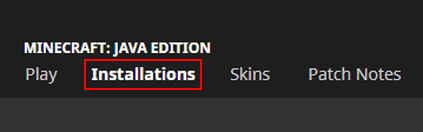
- Open your Minecraft launcher and click Installations at the top of your screen.
- Locate your previously installed Forge or Fabric profile and click its Folder icon.
- In the newly opened window, enter the mods directory from the list. If you don’t see this folder, create it before proceeding.
- Drag and drop the downloaded files into this area, then return to the main launcher.
- Find your modded profile and press Play on it to begin loading everything.
Server Installation
Your server also needs Forge or Fabric installed before mods will work. Select the correct game file from the Game File section in the main panel, then restart to generate the required files. After that, follow the steps below to add mods to your Minecraft server.
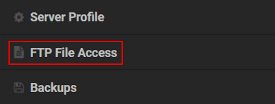
- Head to your Apex server panel, then click FTP File Access near the top left.
- Type your Password in the text box and press the Login button.
- Enter the mods directory and click the Upload button at the top left corner.
- Drag and drop the files into the respective area, then wait for them to reach 100%.
- Return to the main panel and generate a new world, then restart the server.
Modbox Installation
You can install Dungeons and Taverns on your server using Modbox, our built-in mod browser with direct CurseForge integration.
- Log in to your Apex Hosting account and open your Minecraft server panel.
- On the left side, select
Server Configuration > Modbox.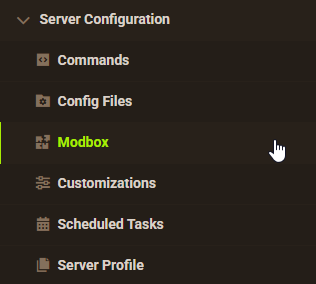
- Search for the mod you want and open its mod page.
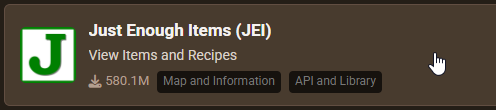
- Select the recommended version for your server, then click
Install.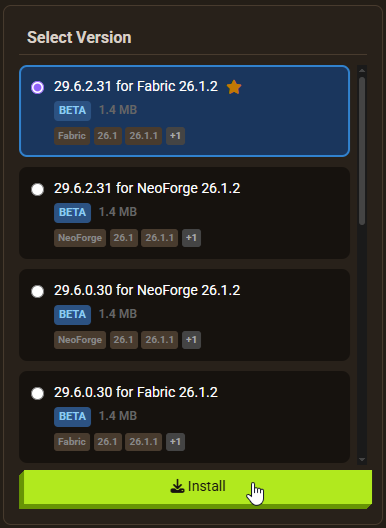
Note: Modbox automatically matches mods to your server's installed version, but does not install dependencies automatically. For more details on using Modbox, check out our full Modbox guide.
Dungeons and Taverns requires the Structure Essentials dependency mod to function. Fabric users also need Fabric API installed. Search for and install each required dependency individually through Modbox using the steps above, before installing Dungeons and Taverns itself.
Getting Started

Once you load in, you may spot a new structure right away. If not, the first goal is finding a tavern. These buildings contain a specific chest holding 1-3 treasure maps, each pointing toward a different structure. You don’t strictly need the maps since all structures generate naturally, but they speed up exploration significantly. The mod also adds structures underground and in the Nether, so there’s more to find than what’s visible on the surface. To locate any structure instantly with operator permissions, run the /locate command.
Finding Taverns and Using Maps

Taverns look like expanded village houses with multiple rooms full of useful resources. The key chest holds 1-3 maps alongside food and building blocks. Pick up only the unique maps — duplicates point to the same location and won’t help you find new structures.
Taverns generate across nearly every biome, from birch forests to deserts, so you won’t need to travel far to find one. Check near your spawn point first before heading out.

Once you have a map, hold it in your hand. The white circle shows your current position. Move toward the red X to reach the marked structure. A compass helps if you’re struggling with cardinal directions. Once you’ve reached the destination, the map has served its purpose.
New Structures
The mod adds over 20 structures spanning surface biomes, underground caves, and the Nether. Most are found through tavern maps, but all generate naturally and can be stumbled upon through normal exploration. Several are biome-specific, which means you won’t find them everywhere.
Illager Buildings

The most common illager structure is a small campsite with a few chests. It’s not a major loot destination, but one version contains a trapped villager you can trade with, making it useful early on for collecting enchanted books.

A harder find is the badlands miner outpost. This is a multi-floor structure with illagers on each level and several loot chests throughout. Go in with strong armor and weapons. The biome restriction makes it a rarer encounter, which adds to its value when you do find it.
Ruins and Forts

Stray forts are large snowy-biome structures with many chests and enough space to convert into a base or use as a world landmark. They’re one of the more sought-after finds because of their size and loot density.

Jungle ruins are massive. An enormous ruined city fills the jungle canopy, with multiple buildings, rooms, armor stands, and loot chests spread throughout. Hostile mobs patrol the area, so bring full gear before exploring. The scale of these structures is a standout feature of the mod.
Underground Areas

While mining, you may break into a bunker — a small enclosed space with a few rooms and extra loot. It’s modest compared to other structures but makes a functional underground base if that’s your preference. Light levels are very low inside, so expect mob spawns.

Undead crypts are the most popular structure in the mod. These large underground dungeons contain multiple mob spawners, lootable chests, and valuable resources. The interior design echoes Minecraft Dungeons aesthetically. Running one with friends is one of the better group activities the mod enables, especially if you want to build a mob farm nearby.
Nether and Other Structures

Beyond surface and underground locations, the mod adds structures to the Nether, including new fortress variants. Large towers appear in various biomes as well. Nearly all structures have at least one loot chest and hostile mobs, making them worth visiting regardless of how far along you are in the game. Keep in mind that the mod adds no new items, blocks, or mobs — every resource found is vanilla, which keeps the experience feeling native to Minecraft.
Common Issues
Unable to Join or Launch
If Minecraft won’t launch or you can’t connect to the server, the most common cause is a missing dependency. Structure Essentials is required for Dungeons and Taverns to function — this applies to both the client and the server. Also confirm that your Forge, Fabric, or NeoForge version matches what the mod requires. If the game still won’t load after that, try allocating more RAM to your client. Server connectivity issues that persist after fixing mods may point to a different panel-side problem.
Server Crashing
A crash on startup usually means a missing dependency, mismatched game version, or a conflict with another mod that also modifies world generation. Biomes O’ Plenty is a known source of conflicts with Dungeons and Taverns. Check the server console for error details. If you can’t identify the cause, our Support Team can help you work through the logs.
Structures Not Generating
Dungeons and Taverns modifies world generation, so it only affects chunks that haven’t been loaded yet. Existing worlds will still get new structures in unexplored areas — travel further out and you’ll start seeing them. If you want the full mod experience from the start, generate a new world after installing the mod.