
If you’ve ever wished your Minecraft survival world felt a little more alive, Serene Seasons is the exact mod you’re looking for. Instead of an endless loop of identical sunny days and static green grass, it introduces a full yearly cycle of spring, summer, autumn, and winter. Each cycle comes complete with shifting foliage colors, winter snowfall, dynamic weather patterns, and seasonal crop fertility. In this Apex Hosting guide, we’ll show you how to install and use the Serene Seasons mod in Minecraft.
What the Serene Seasons Mod Changes
Your survival world looks the same every week. The grass stays green, the crops grow at one speed, and the weather never has a reason to change. The Serene Seasons mod for Minecraft Java Edition fixes that. It adds a year of 12 sub-seasons that recolor grass and leaves, bring snow in winter, shift the weather, and decide which crops grow well. The mod must run on the server and on every client, so each player installs it too.
The mod comes from Glitchfiend, and its CurseForge page lists more than 100 million downloads. It also needs GlitchCore as a dependency. This guide covers how seasons work, how they change farming, the config options, and the server install.
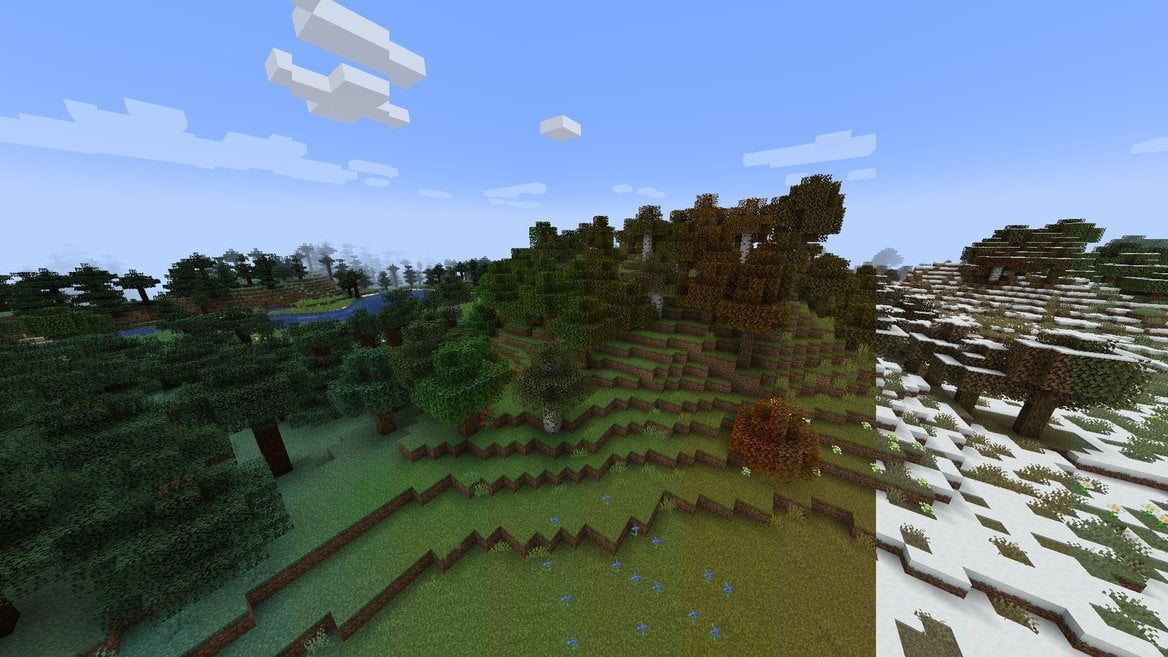
Image by TheAdubbz via CurseForge
Seasons apply to the Overworld only by default. The whitelisted_dimensions option lists the dimensions that get seasons, and it starts with just minecraft:overworld. You can also add the mod to an existing world.
How Seasons Work
Every year has four seasons, and each season has three sub-seasons: early, mid and late. That makes 12 sub-seasons. Each one lasts 8 in-game days by default, so a full year takes 96 days. A new world starts in early spring.
Those numbers are easier to feel in real time. A Minecraft day is 24,000 ticks, or 20 minutes at normal speed. At that speed one sub-season is about 160 minutes, and a full year is about 32 hours. Sleeping through the night or changing the time with a command moves seasons along faster.
Temperate biomes go through spring, summer, autumn and winter. Grass and foliage colors shift with each one, and so does the chance of rain.
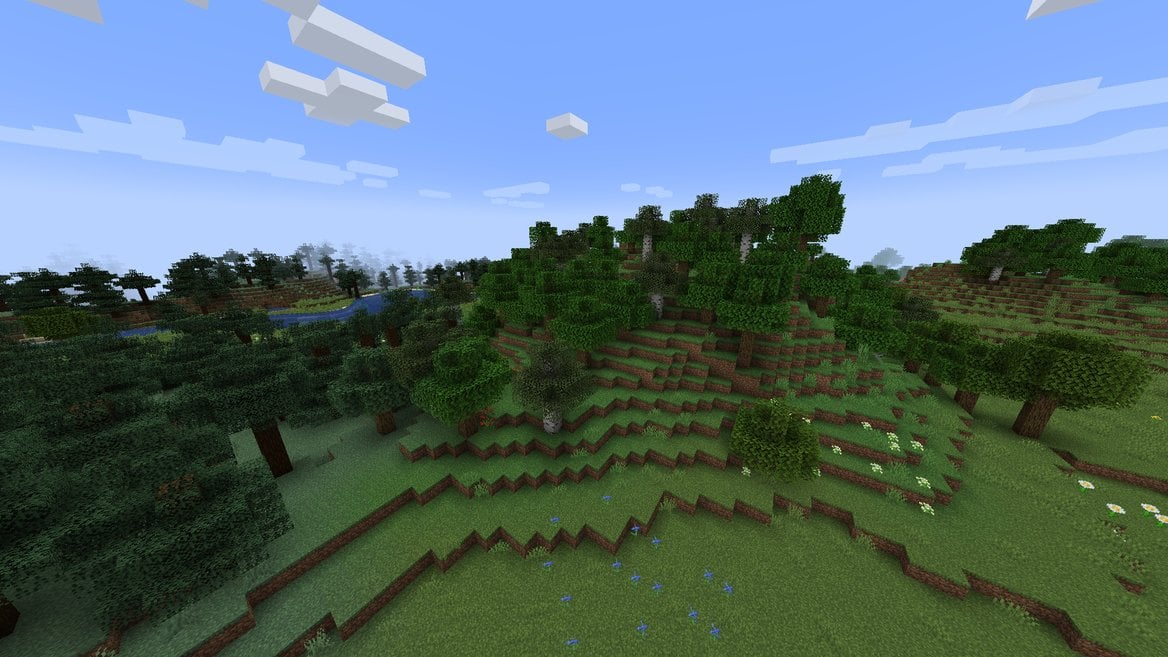
Image by TheAdubbz via CurseForge
Winter is the biggest change. Temperatures drop, and snow falls in temperate biomes. Precipitation is more frequent, but thunderstorms can’t happen.
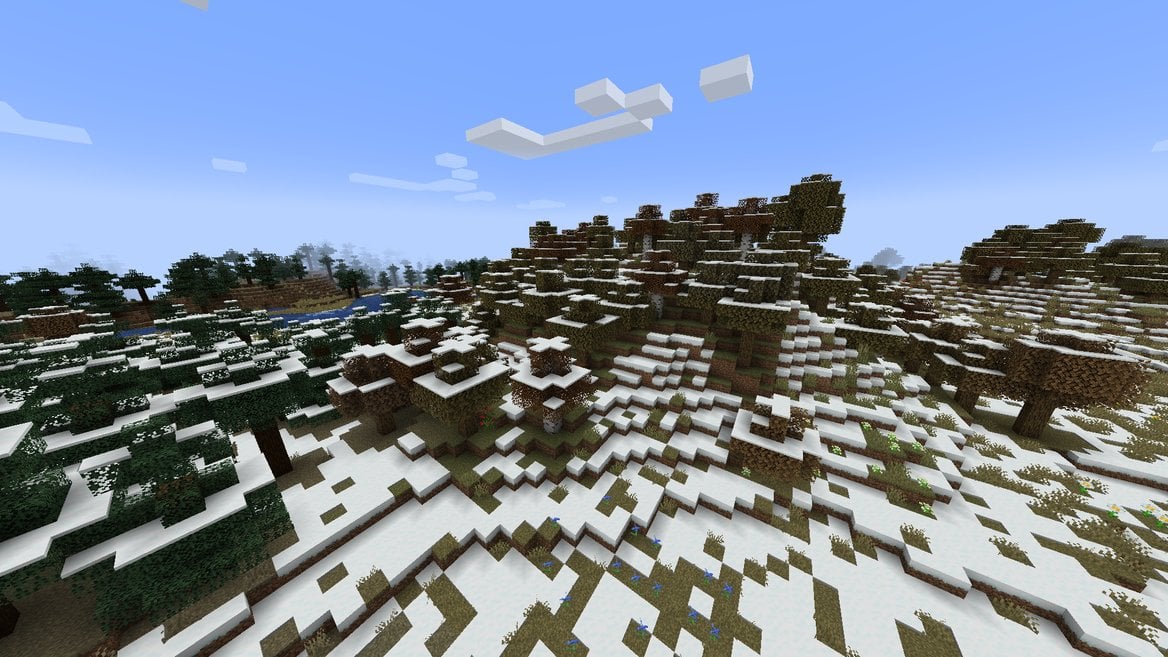
Image by TheAdubbz via CurseForge
Wet and Dry Seasons
Tropical biomes skip the four-season cycle. Deserts, savannas, jungles, badlands and similar biomes use a Wet Season and a Dry Season. The mod reads that biome list from the tropical_biomes tag, so biome mods can add their own.
The Wet Season runs from the start of winter to the end of spring. During mid Wet Season, rain can fall in tropical biomes that normally stay dry, such as the desert and the savanna.
The Dry Season runs from the start of summer to the end of autumn. During mid Dry Season, it won’t rain in any tropical biome. Early and late sub-seasons use normal weather.
Crops and Seasons
Farming is where players feel the mod first. Each listed crop is fertile in one or more seasons. In season, a crop grows as normal, and bone meal works as usual. Out of season, it grows very slowly and needs more bone meal for each growth stage.
That answers the usual worry. By default your farms don’t die in the wrong season, they crawl. Hover over seeds to see their fertile seasons in the tooltip. Crops with no listed season aren’t affected at all.
Tropical biomes count only summer crops as in season. Biomes that always get snow count only winter crops.
Default Fertile Seasons
This table comes from the default tags in the 1.20.1 build. Modpacks and datapacks can change them.
| Crop | Fertile Seasons |
|---|---|
| Carrots | Spring, autumn |
| Potatoes | Spring |
| Sweet berries | Spring, winter |
| Wheat seeds | Summer, autumn |
| Melon seeds | Summer |
| Sugar cane | Summer |
| Cocoa beans | Summer |
| Pumpkin seeds | Autumn |
| Beetroot seeds | Autumn |
| Nether wart and mushrooms | All year |
Keep Crops Growing Out of Season
You have three ways to farm out of season at full speed.
- Place glass or stained glass blocks within 16 blocks above the crops.
- Use bees, because they pollinate crops whether or not the crops are in season.
- Grow crops underground, below Y 48 by default, where the sky can’t reach them.
Those are the default rules. The config section below shows how to make out-of-season crops stop growing, or break, instead.
Farmer’s Delight and Croptopia
Serene Seasons only knows crops that sit in its season tags. Crop mods have to add those tags themselves. Any crop without a tag is always fertile.
The Farmer’s Delight build for 1.20.1 ships its own tags. Tomatoes grow in summer, cabbage in autumn and winter, rice in summer and autumn, and onions in spring and autumn. Croptopia includes Serene Seasons tags as well, so both mods work with seasons out of the box.
For a crop mod without tags, a datapack can add them.
Calendar and Season Sensor
The mod adds two items. The Calendar shows the current season and how far along it is. One filled row means early, two mean mid, and three mean late. Hover over it in your inventory to see the exact sub-season and the day you’re on.
Craft a Calendar from eight paper around a clock.
The Season Sensor turns the season into a redstone signal. Right-click it to choose which season it detects. While that season is active, it powers all four sides. The signal starts at strength 1 and climbs to 15 by the end of the season. The recipe puts a Calendar in the middle, with glass, quartz and cobblestone slabs around it.
Redstone builders can tie farm gates, lamps or hoppers to a season with it.
How to Install Serene Seasons on Your Server
The 1.20.1 version of the mod has a Forge build and a Fabric build. Both need GlitchCore, and the Fabric build also needs Fabric API. NeoForge builds start at Minecraft 1.20.4. This guide gives panel steps for Forge 1.20.1 only. Install GlitchCore first.
Set the Server to Forge 1.20.1
- Head towards your Apex server panel, then find the “
Game File” area below. - Click the selected option and type “Forge” in the search bar.
- Choose the Forge 1.20.1 version and confirm the prompts.
- On the final confirmation, click “
Restart Now“.
Install with Modbox
Modbox is the built-in mod browser in the Apex server panel, with direct CurseForge integration.
- Log in to your Apex Hosting account and open your Minecraft server panel.
- On the left side, select “
Server Configuration > Modbox“. - Search for GlitchCore, open its mod page, select the recommended version for your server, then click “
Install“. - Search for Serene Seasons and open its mod page.
- Select the recommended version for your server, then click “
Install“.
Modbox automatically matches mods to your server’s installed version, but it does not install dependencies automatically. That is why GlitchCore goes in before Serene Seasons. Pick the mod named Serene Seasons itself, because add-ons with similar names exist. The full Modbox guide covers installing mods with Modbox in more detail.
Upload with FTP
- Download the Forge 1.20.1 files from the Serene Seasons page and the GlitchCore page on CurseForge, then save both
.jarfiles. - Head towards your Apex server panel and click the “
FTP File Access” button. - Enter your “
Password” in the text box, then press “Login“. - Locate and click the
modsdirectory. - Drag and drop both
.jarfiles into this folder, then wait for them to reach 100%. - Return to the main panel and restart the server.
The guide to adding mods explains the same upload route for any mod.
Client Installation
Each player needs a Forge 1.20.1 profile, plus the same Serene Seasons and GlitchCore files as the server. Forge 1.20.1 on the server means Forge 1.20.1 in every launcher. Start with the Forge client install guide if a player hasn’t set it up yet.
- Open your Minecraft launcher and click “
Installations” near the top. - Locate the Forge 1.20.1 profile and click its “
Folder” icon. - Open the
modsdirectory. If one doesn’t exist, create it first. - Drag and drop the Serene Seasons file and the GlitchCore file into the
modsfolder. - Return to the launcher and click “
Play” on the Forge profile.
The official FAQ is clear on one point: the server and every client need the same config files. If they differ, the seasons drift out of sync. Once you’ve edited the server config in the next section, each player copies those files over.
- In “
FTP File Access“, open theconfigdirectory, then thesereneseasonsdirectory. - Right-click
seasons.tomlandfertility.toml, then use the Download option for each. - Open the profile folder with its “
Folder” icon again, then open theconfigdirectory and thesereneseasonsdirectory. Create either one if it doesn’t exist. - Drag and drop both files into
sereneseasons, replacing any files already there.
Repeat this whenever you change a config value on the server.
Serene Seasons Config and Commands
Two files control the mod: seasons.toml and fertility.toml. The mod writes both to config/sereneseasons when it first loads, so start the server once with the mod installed. If you type a value outside the allowed range, the mod falls back to the default for that key.
Edit the Config Files
- Head towards your Apex server panel, then click “
FTP File Access” at the top left. - Log in by entering your password when prompted. We recommend stopping the server before you make changes.
- Open the
configdirectory, then thesereneseasonsdirectory. - Double-click
seasons.tomlorfertility.tomlto open it in the editor. - Change the value, then press Ctrl or Cmd + S to save.
- Restart the server to apply the changes.
Then give your players the same files, as described in Client Installation.
Season Settings
These keys live in seasons.toml. Each sits in a section named weather_settings, time_settings, aesthetic_settings or dimension_settings.
| Key | Default | What It Does |
|---|---|---|
sub_season_duration |
8 | Length of one sub-season in days. A year is 12 times this value. |
starting_sub_season |
1 | Where new worlds start. 0 is random, 1 to 3 is spring, 4 to 6 summer, 7 to 9 autumn, 10 to 12 winter. |
progress_season_while_offline |
true | Keeps seasons moving while no players are online. |
day_duration |
24000 | Day length in ticks for the season clock. It’s meant for mods that change the day length. |
generate_snow_ice |
true | Generates snow and ice in winter. |
change_weather_frequency |
true | Changes how often rain, snow and storms happen by season. |
change_grass_color, change_foliage_color, change_birch_color |
true | Turn the seasonal color shifts on or off. |
whitelisted_dimensions |
minecraft:overworld | Seasons only apply to the dimensions listed here. |
If seasons change too slowly, lower sub_season_duration; if they change too fast, raise it. A value of 4 gives a 48-day year, and 24 gives a 288-day year. Remember that starting_sub_season only sets the start for new worlds. On an existing world, use the command below.
The same file has a season_properties list with per-sub-season values. Setting min_rain_time and max_rain_time to -1 there turns rain off for that sub-season.
Crop Settings
These keys live in fertility.toml, in a section named general.
| Key | Default | What It Does |
|---|---|---|
seasonal_crops |
true | Turns seasonal crop fertility on or off. |
crop_tooltips |
true | Shows the fertile seasons in crop tooltips. |
out_of_season_crop_behavior |
0 | 0 grows slowly, 1 stops growth, 2 breaks the crop when it tries to grow. |
underground_fertility_level |
48 | Crops below this Y level stay fertile underground when the sky can’t reach them. |
Season Commands
The season commands need permission level 2, which operators have.
/season getshows the current sub-season and how far into it you are./season set early_springjumps to the start of that sub-season./gamerule doSeasonCycle falsefreezes the season. Set it back totrueto resume.
Sub-season names combine early, mid or late with the season. So mid_summer and late_autumn work too.
Serene Seasons FAQ
Yes. A Fabric build exists for Minecraft 1.20.1. It needs GlitchCore and Fabric API. This guide gives panel steps for Forge 1.20.1 only.
The server and every player need the same config files, especially after you change how long sub-seasons last. Copy the server’s files to each player.
By default, a sub-season lasts 8 days and a full season lasts 24 days. Change sub_season_duration to adjust both.
For the most part, nothing breaks. One exception: snow and ice in biomes that don’t normally get snow won’t melt, because the mod handled that.