

Plenty of horror enthusiasts crave modpacks that do the job right – turning a familiar world into a scary ordeal. VerityCraft brings this haunting vision to life in Minecraft through custom structures, deceptive mobs, and a mysterious yellow orb named Verity that stalks and speaks to you from the shadows. In this Apex Hosting guide, we’ll dive into everything you need to know about surviving this deeply atmospheric VerityCraft modpack 👁️
Server Installation
- Navigate to your Apex server panel and open the Game File section.
- Use the dropdown and search for the modpack name, then select it.
- Follow the prompts: Change Version > Generate New World > Restart Now.
- Wait for the server to load and join using your modded profile.
Client Installation
- Install CurseForge if you haven’t already, as it’s required for the modpack.
- Open the CurseForge App and search for the modpack.
- Click Install and wait for the download to finish.
- The modpack profile will appear under My Modpacks once complete.
Verity AI Setup
You need to configure the AI for Verity to work properly in Minecraft. Due to the sensitivity of this process, we highly recommend following the official video tutorial to do that. When you’re finished, you can begin playing with Verity!
VerityCraft Showcase
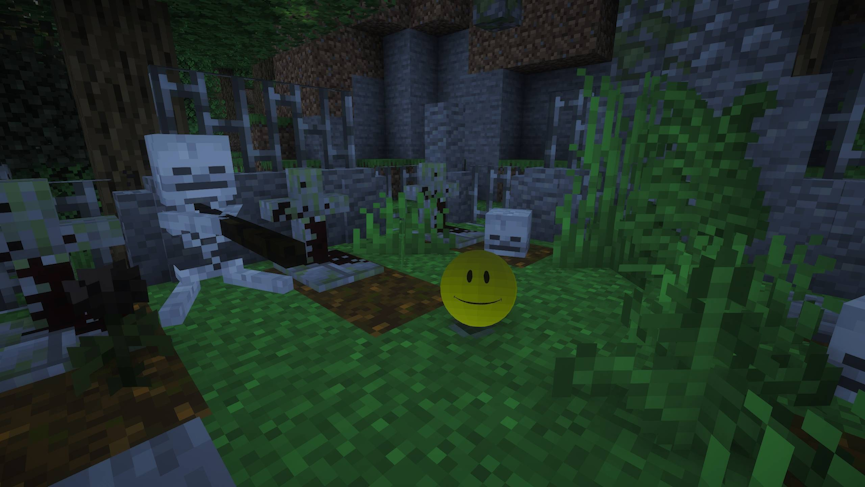
The heart of the modpack centers on Verity, a deceptively simple yet deeply disturbing entity that takes the form of a floating yellow ball. Verity isn’t just a standard mob that rushes to attack you. Instead, it follows you from a distance, hovering silently in dark corridors or watching from treetops. What makes Verity truly terrifying is its ability to speak. It broadcasts unsettling, cryptic, and direct messages, actively commenting on your actions, mocking your attempts to build safety, or warning you right before something goes horribly wrong.
Unsettling Mobs & Psychological Escalation
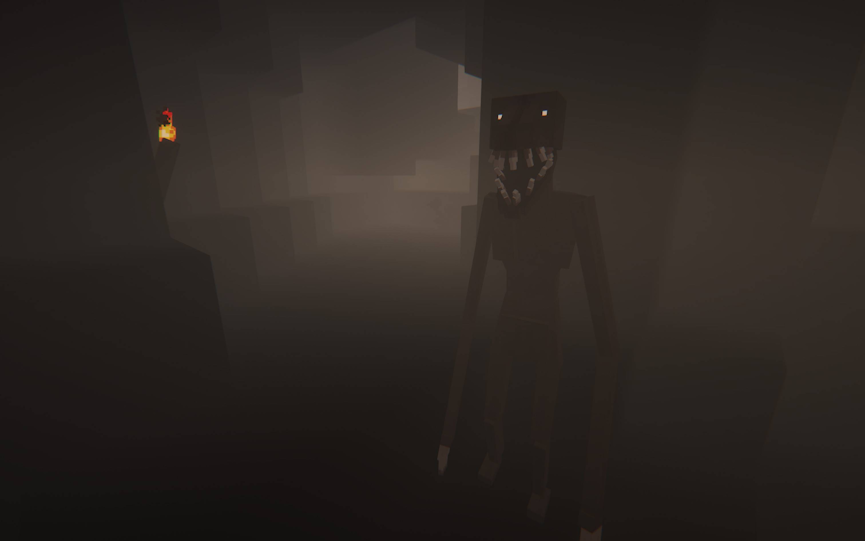
Beyond Verity itself, the modpack populates the world with custom hostile entities designed to ruin standard survival instincts. Distorted creatures stalk you from outside your sightline, while mimic mobs fake familiar sound effects like footsteps, door openings, or chest clicks to draw you into dark corners. The horror comes from constant uncertainty. You are forced to second-guess every sound, never knowing if an ambient noise is harmless or if Verity is about to float out of the gloom to speak to you.
Structure Generation & High-Risk Exploration
Survival requires exploring custom-generated structures, including crumbling outposts, eerie subterranean vaults, and decayed research facilities. These structures contain essential high-tier loot, forcing you to leave the safety of your base and navigate narrow, low-visibility hallways. Exploring these ruins triggers scripted events where doors trap you inside, lights suddenly flicker out, and Verity appears to torment you while spawning aggressive mobs.
Embracing the Paranoia
VerityCraft transforms standard Minecraft survival into a masterclass in psychological tension. By pairing high-risk structure exploration and deceptive mobs with the uncanny, taunting presence of Verity, the pack ensures that true safety is always an illusion.
If you are looking for a horror experience where every dark corner might speak back to you and every routine trip to the mines feels like a battle against dread, VerityCraft delivers a deeply unsettling survival experience.






















