Running a Minecraft server means setting clear expectations for your players, and a Code of Conduct is the best way to do that. By enabling this brand new feature, you can display your server’s rules before players connect, making sure everyone knows what’s allowed and what isn’t. Whether you’re keeping it simple with just a few guidelines or creating a detailed set of community standards, the Code of Conduct system gives you full control over how players experience your server. In this Apex Hosting guide, we will show you how to enable and customize this on your Minecraft server 🔥
Server Code of Conduct
The Code of Conduct feature is a powerful tool for server owners who want to set clear expectations and share important information with their players. When enabled, it displays a custom message every time someone joins your server. This makes it perfect for:
- Sharing Rules – Ensure players know your server guidelines right away, helping prevent issues and keeping the community safe.
- Advertising Links – Display your website, Discord, or store link so players always know where to go for more information.
- Welcoming New Players – Add a friendly greeting or community message that makes your server feel more inviting.
- Promoting Events or Updates – Let players know about upcoming changes, events, or special features without needing extra plugins.
By using this feature, you can streamline communication, reduce confusion, and strengthen your server’s community from the very first login.
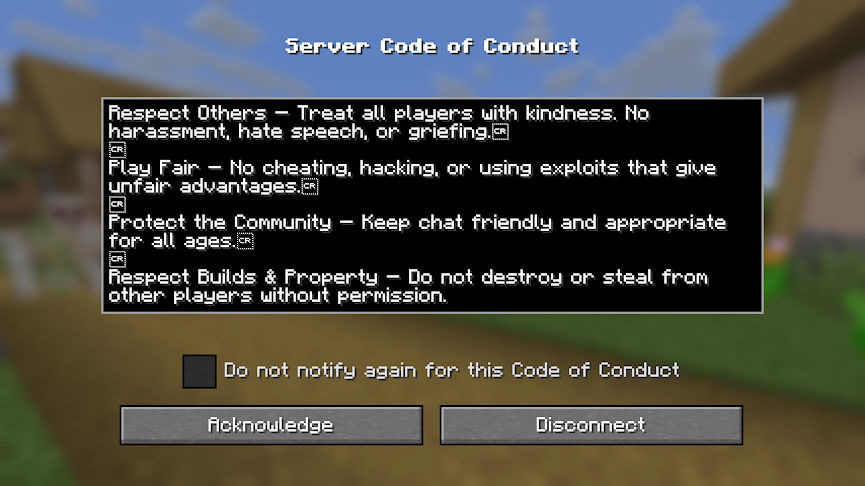
How to Enable Code of Conduct
- Head towards your Apex server panel, then click ‘
Config Files’ on the left.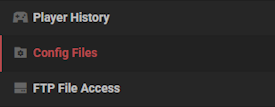
- Select ‘
Server Settings’ at the top, then locate the enable-code-of-conduct option. - Change it from “false” to “true” and save the changes.
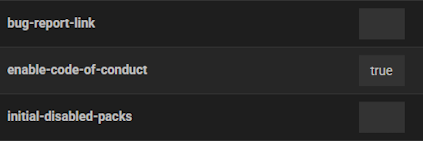
- Restart the server to enable the server code of conduct.
How to Edit Code of Conduct
- Head towards your server panel and click ‘
FTP File Access‘ at the top left.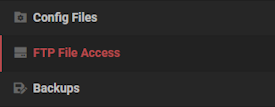
- Use your password to login, then enter or create the codeofconduct folder.
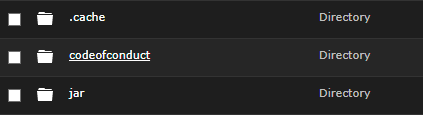
- Edit or create the en_us.txt file with your desired code of conduct for players to read.
*You may also choose another language you want by changing the file name.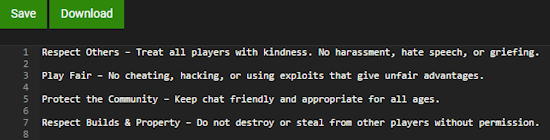
- Save the changes, then restart the server and join to confirm it works.
FAQ – Minecraft Server Code of Conduct
Nothing will happen, as it’s an optional feature to enable on your server. There are mods, plugins, and other ways to show rules or information.
Yes. You can create files like es_es.txt or fr_fr.txt to support other languages. Players with those language settings will see your rules in their chosen language.
Absolutely. Your server rules must always comply with Mojang’s EULA and community guidelines, even if you add custom restrictions.
Yes, they will have to agree before joining the server. However, enforcement is entirely up to you and the staff team. Players are bound to ignore the Code of Conduct, so keep that in mind.
Yes! At any time, you can edit the text file to customize the rules or information inside. This is best used when providing updates, links, and more to your community.
Your Rules, Your Server
Setting up a Code of Conduct gives you a powerful tool to show rules and information to players. Whether you want to only have rules, spice things up by advertising a Discord link, or anything else – you’re in control. Please note that this feature is currently available for Minecraft Snapshot 25w34b and will be released in the official version later on. There could be bugs or quality of life issues that most likely will be addressed by Mojang.