

Dropping frames during a PvP fight usually ends with a respawn screen. Managing dozens of jar files just to get a stable framerate takes time you could spend playing. In this Apex guide, we break down Lunar Client. It bundles performance fixes and popular mods into one free launcher. You will learn about its built-in tools, how to install the software, and how you connect to your Apex Hosting server.
What Is Lunar Client?
Lunar Client is a popular, free third-party Minecraft launcher designed to drastically boost your frame rates and optimize overall performance. It packages a massive library of essential quality-of-life mods and visual tweaks directly into the client, saving you the hassle of installing them manually. Whether you are a casual builder or a competitive PvP player, it gives you an instant advantage right out of the box!
- FPS Booster: Advanced frame rate optimization techniques that can double your performance in game.
- 75+ Pre-Installed Mods: Instant access to popular tools like Zoom, Waypoints, Toggle Sprint, and Full HUD Customization.
- Cross-Platform Support: Works seamlessly across Windows, macOS, and Linux operating systems.
- Custom Cosmetics: Equip cloaks, wings, emotes, and pets to show off your style to other players.
- Universal Server Support: Play on any Minecraft server that supports the vanilla game without compatibility issues.
Unlike playing on local hosted worlds that heavily drain your personal computer’s performance, joining a dedicated server through Lunar Client guarantees smooth, low-latency gameplay for everyone online.
How To Install Lunar Client
A clean installation prevents overlapping file errors. Download the correct installer for your system to keep things stable.
- Go to the official download page and select the button for your Windows, macOS, or Linux operating system.
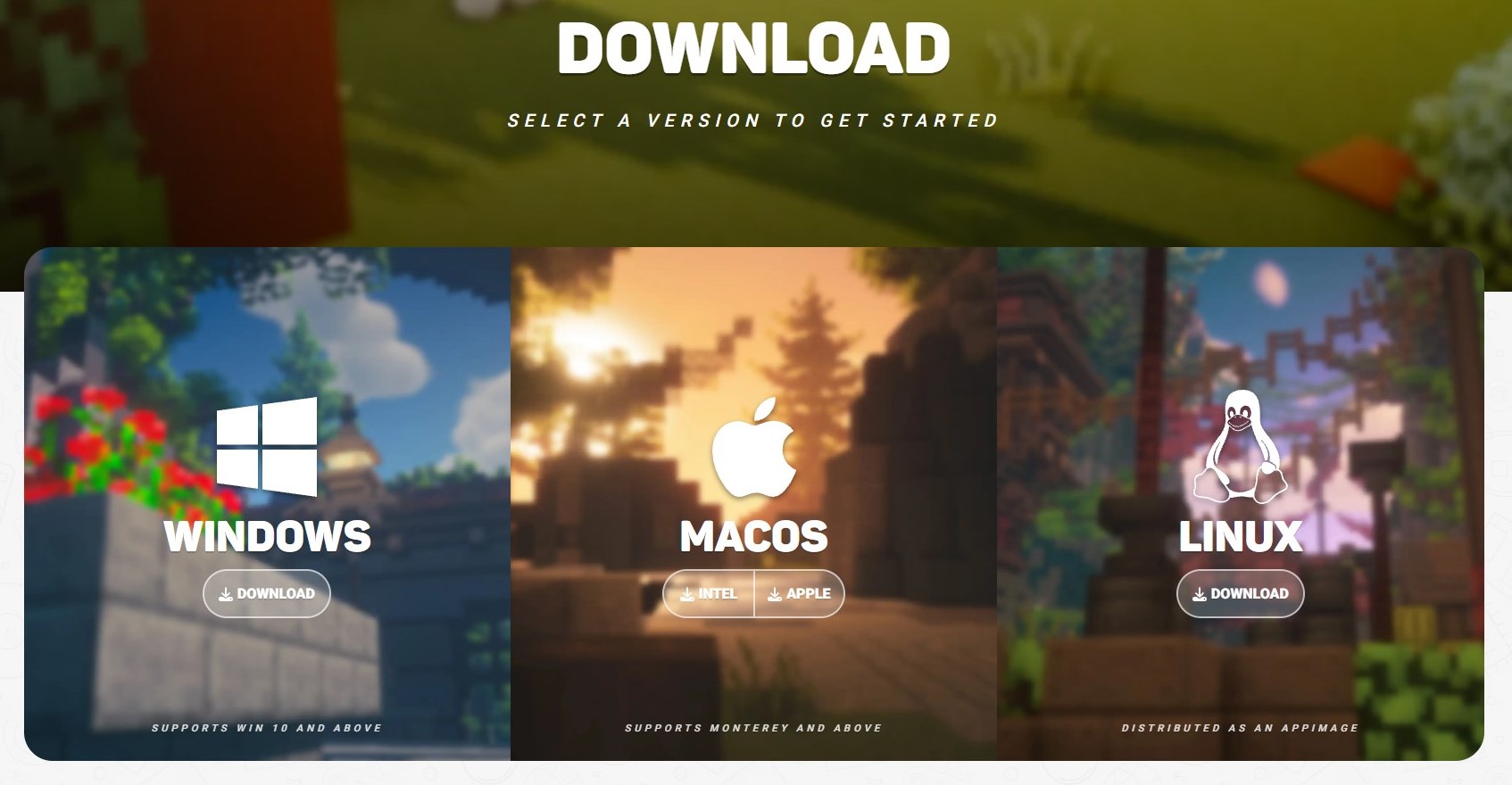
- Access the software to begin setup. Open Lunar Client from your desktop or search bar after installing.
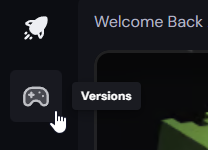
- In the left sidebar, click the Versions icon (controller) to select a Minecraft version to play. You can use the dropdown menu in the top left to choose between Lunar & Vanilla versions, as well as Modpacks.
- Select your preferred Minecraft version. In the bottom right corner you can further specify which exact version and loader you want to play.
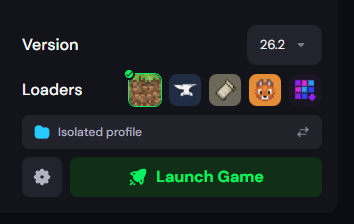
- Press Launch Game to start Minecraft.
The Ultimate Combo: Lunar Client x Apex Hosting
We are proud to be the official server hosting partner for Lunar Client! Host your world on a dedicated server to keep your gameplay lag-free and available 24/7, even when your computer is turned off.
🎉 To really celebrate this partnership, you can grab a big discount on your brand new setup! Get 25% off your first billing cycle on any Apex Hosting Minecraft server by visiting https://apexhost.gg/lun or clicking on our partner link directly in the Lunar Client! 🎊
Elevate Your Gameplay!
Lunar Client transforms how you experience Minecraft by combining massive frame boosts with essential mods in one easy package. Stop fighting with messy mod folders and start dominating your next PvP match or survival adventure. Take your new client to the next level by jumping onto a dedicated server with your friends. Get started with your own server today!






















