


Overview
As you play through vanilla Minecraft, you are sure to encounter some of the various available trades. Whether you hang out in a village or wait for a wandering trader, they can provide easy access to useful items. Many feel that the trades are not as helpful as they could be though, leading players to install various mods. This issue is solved with Goblin Traders, a small Minecraft mod that adds two new entities to your world. These two traders have randomized trade offers, many of which are considerably better than their vanilla counterparts. Gain access to rare blocks, emeralds, and even obtain enchantments that are above the normal level cap. Installing mods is streamlined with our Apex Hosting panel, so we have created this tutorial to help you get started.
Summary
Goblin Traders is available for both Fabric and Forge versions and is created by MrCrayfish on Curseforge. The mod has well over 13.3 million downloads and spans from version 1.15 up to 1.19 at the time of writing. Goblin Traders adds two new entities to your world, each of which offer unique and powerful trades.
Goblin Traders Download
- Visit the Goblin Traders Curseforge page for either Forge or Fabric.
- Press
Filesat the top to view the available downloads.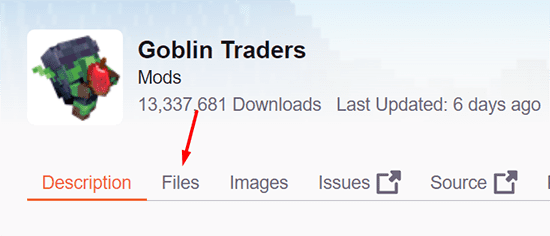
- Scroll down and locate the version you wish to use.
- Once found, press the
Downloadbutton to the right-hand side.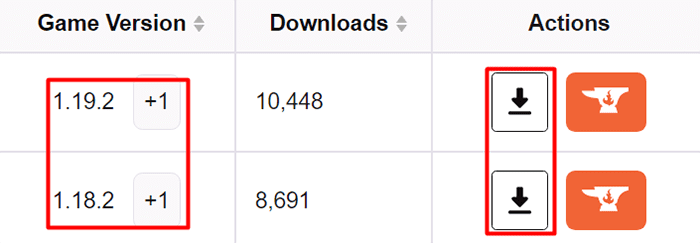
- Save the .jar file to a safe location for later use.
Before proceeding, the Fabric version of mod also requires the matching version of FabricAPI. Once done, you are ready to install the mod to your client and server!
Server-Side Installation
- Navigate to the Apex server panel, then stop the server.
- Scroll down to the
Game Filesection, then open the dropdown menu.
- Ensure you are running the matching version of either Minecraft Forge or Fabric.
- Afterwards, enter the
FTP File Accessin the left-hand menu. - Here, locate or create the
modsfolder, then enter it.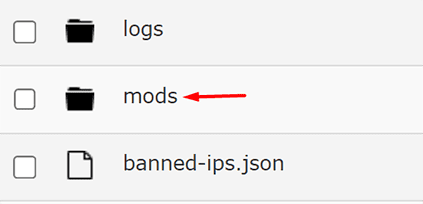
- Press
Uploadin the top-left, then drag + drop the mod file(s). - Once at 100%, return to the main panel page.
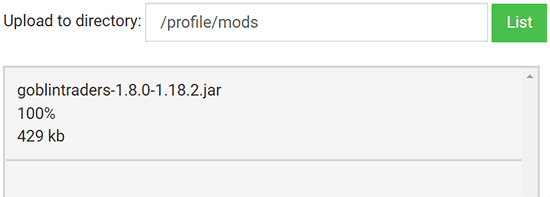
- Restart the server to load up and play Goblin Traders.
Modbox Installation
As an alternative to the manual installation, you can install Goblin Traders on your server using Modbox, our built-in mod browser with direct CurseForge integration.
- Log in to your Apex Hosting account and open your Minecraft server panel.
- On the left side, select
Server Configuration > Modbox.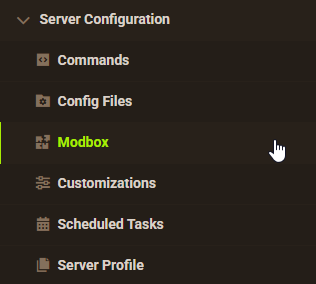
- Search for the mod you want and open its mod page.
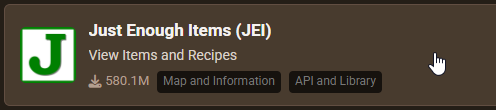
- Select the recommended version for your server, then click
Install.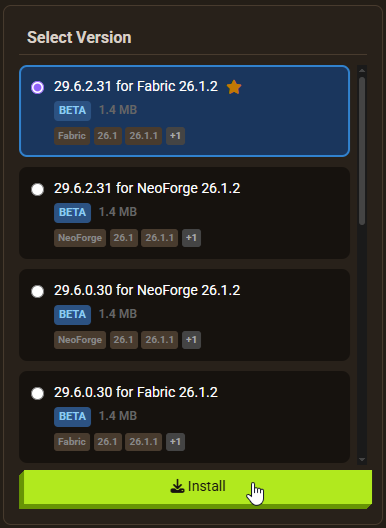
Note: Modbox automatically matches mods to your server's installed version, but does not install dependencies automatically. For more details on using Modbox, check out our full Modbox guide.
Goblin Traders has no required dependencies on Forge. Fabric users need Fabric API installed — search for and install it individually through Modbox using the steps above, before installing Goblin Traders itself.
Client-Side Installation
Before you can join the server, you must also ensure you have installed the matching mod on your own game.
- Ensure you have installed the matching version of Forge or Fabric client-side.
- Afterwards, open your Minecraft launcher and navigate to the
Installationstab. - Hover over your modded profile, then press the “Open Folder” icon.
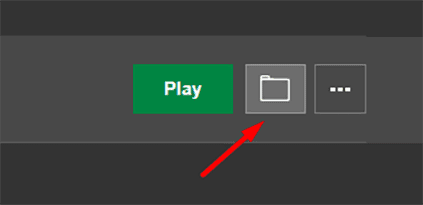
- In the new window, locate or create the
modsfolder, then enter it. - Here, paste the Goblin Traders .jar, as well as FabricAPI if applicable.

- Return to the MC launcher, then press
Playon your mod profile.
How to Get Started
Once you spawn into your world, you may not immediately notice anything different. However once you travel to specific areas, you may find one of the new traders.
Goblin Types and Location
There are two main traders added through the mod, each of which has their own unique items.
Goblin Trader


The first type of trader is the overworld Goblin Trader, which can be found in caves underground. They have a love for apples and will pick up any that are found in the area. Goblin Traders do not appreciate being hit, as they will be completely knocked over.
Vein Goblin Trader


The second type is the Vein Goblin Trader, which is found exclusively in the Nether. While they do not share the love of apples, they are fireproof and offer significantly improved trades over their cave-dwelling counterparts.
Trades
The trades offered by each Goblin Trader differs across each one you find, however the largest differences are found between the two types of traders.
 The Overworld goblin trades tend to be a lot simpler and may offer a way to earn some emeralds, gain extra ingots, or gain music disks. In some cases, a rare trade will be available to gain an upgraded enchantment.
 The Nether goblin trades are much more powerful, offering the ability to purchase totems, netherite scrap, and more. They often have many trades that offer improved enchantments, such as Protection V.
Conclusion
Following that, you now know how to install Goblin Traders and some basic information on how to find them. While the mod itself is relatively simplistic, these small changes can completely revamp your survival experience. The ability to gain better enchantments is great as it is, but they provide an excellent way to earn important items or other tools. Each trader has a unique trade catalog, so make sure to check every one you come across. With this in mind, you are ready to hop into your Minecraft server and begin your trading journey!
Helpful Links
Goblin Traders Curseforge (Forge)
Goblin Traders Curseforge (Fabric)
How to Install Fabric
How to Install Forge (Client-Side)






















