Need a break from your world but terrified of losing everything you have built? Sometimes life gets in the way of your adventure, but that does not mean you should have to pay for an active server you aren’t using. In this Apex Hosting guide, we will show you how to pause your game server without losing progress. 🔥
What is the Server Archiver?
The Server Archiver is a long-requested way for players to “pause” their server without paying full active hosting rates. Think of it as a freeze button for your world. Everything stays exactly as it was. Your world state, configs, mods, and player data are stored safely at a low cost until you’re ready to come back.
How to Archive Your Server
Freezing your Apex Server Hosting progress only takes a few clicks.
- Log into your Apex account and open your Server Control Panel.

- Navigate to your Client Area.
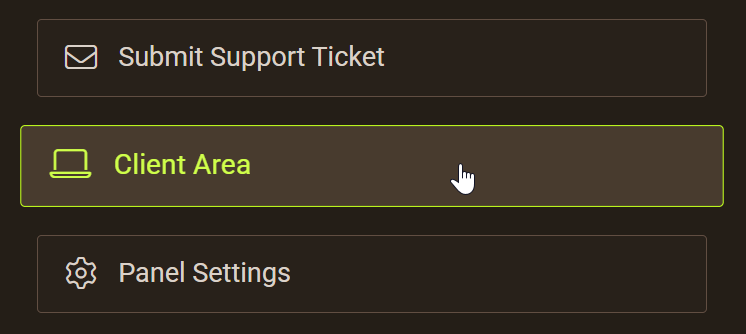
- Click on the server you want to pause.

- Select Archive Server.

- In the new window you’ll be informed about the specifics of archiving your server. Then choose your billing cycle.
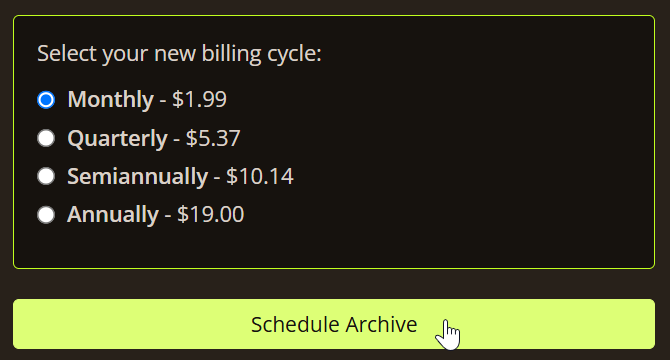
⚠️ A confirmation prompt makes clear all data is preserved.
Your server moves to a low-resource archival state on the scheduled date.
How to Resume Your Server
Ready to jump back in? When the time is right, getting your squad back together is easier than ever. You can reactivate your world and pick up right where you left off in just a few seconds.
- In the server window, go to the Service Details tab and click Resume server.
- Select the plan you want to return to (e.g. 2 GB) and the server location.
- Click Continue. You are asked to pay the difference between the archive plan and the chosen plan.
- Click Continue again to confirm.
- The files are pulled out of cold storage and the server is brought back online automatically, with everything restored as it was.
Note: The billing system auto-calculates the pro-rated difference for you.
Ready When You Are
Our new Server Archiver feature gives you a safe way to continue your world or adventure whenever you want. There is no need to wipe your hard work or abandon your base just because you need a break. Save your money, keep your data safe, and return to your world the exact moment you are ready. 👏